<?xml version="1.0" encoding="UTF-8" ?><rdf:RDF 
  xmlns="http://purl.org/rss/1.0/"
  xmlns:rdf="http://www.w3.org/1999/02/22-rdf-syntax-ns#" 
  xmlns:dc="http://purl.org/dc/elements/1.1/"
  xml:lang="ja">
  <channel rdf:about="http://www3.atwiki.jp/itunes/">
    <title>iTunes for Mac まとめ</title>
    <link>http://www3.atwiki.jp/itunes/</link>
    <description>iTunes for Mac まとめ</description>

    <dc:language>ja</dc:language>
    <dc:date>2007-09-24T18:54:37+09:00</dc:date>

    <items>
      <rdf:Seq>
                <rdf:li rdf:resource="http://www3.atwiki.jp/itunes/pages/25.html" />
                <rdf:li rdf:resource="http://www3.atwiki.jp/itunes/pages/24.html" />
                <rdf:li rdf:resource="http://www3.atwiki.jp/itunes/pages/23.html" />
                <rdf:li rdf:resource="http://www3.atwiki.jp/itunes/pages/22.html" />
                <rdf:li rdf:resource="http://www3.atwiki.jp/itunes/pages/21.html" />
              </rdf:Seq>
    </items>


  </channel>
    <item rdf:about="http://www3.atwiki.jp/itunes/pages/25.html">
    <title>iTunes 7 FAQ</title>
    <link>http://www3.atwiki.jp/itunes/pages/25.html</link>
    <description>
      <![CDATA[<!--@@@@@--><h2 id="id_ecd0f87d">iTunes 7 FAQ</h2>

<div>
iTunes 7 FAQは、<a href="http://www3.atwiki.jp/itunes/pages/8.html"    title="FAQ (242d)">FAQ</a> に統合しました。

</div>


]]>    </description>
    <dc:date>2007-09-24T18:54:37+09:00</dc:date>
  </item>
    <item rdf:about="http://www3.atwiki.jp/itunes/pages/24.html">
    <title>AppleScript</title>
    <link>http://www3.atwiki.jp/itunes/pages/24.html</link>
    <description>
      <![CDATA[<!--@@@@@--><h2 id="id_d787a196">AppleScript</h2>
<div>
アップル・スクリプトをメニューバーから使用するには、ユーザ / ホーム / ライブラリ / iTunes フォルダに &quot;Scripts&quot; フォルダを作成し、そこにスクリプトファイルを置きます。

</div>
<br />
<div>
AppleScript のマニュアル（英語）は、スクリプトエディタ.app のメニューバー＞ウインドウ＞ライブラリ（shift+コマンド+L）<br />リストから「iTunes」をダブルクリック。

</div>
<br />
<ul><li>アップル AppleScript<br /><a href="http://www.apple.com/jp/macosx/features/applescript/" rel="nofollow">http://www.apple.com/jp/macosx/features/applescript/</a></li>
<li>iTunes AppleScript<br /><a href="http://www.apple.com/applescript/itunes/" rel="nofollow">http://www.apple.com/applescript/itunes/</a></li></ul>
<br />

<div class="plugin_contents"><!--@@@@@--><ul><li><a href="http://www3.atwiki.jp/itunes/pages/24.html#id_a79980bb">サンプルスクリプト</a><ul><li><a href="http://www3.atwiki.jp/itunes/pages/24.html#id_77d3c7cd">pause</a></li>
<li><a href="http://www3.atwiki.jp/itunes/pages/24.html#id_357a5dce">play</a></li>
<li><a href="http://www3.atwiki.jp/itunes/pages/24.html#id_2212d0fa">play (playlist)</a></li>
<li><a href="http://www3.atwiki.jp/itunes/pages/24.html#id_7c167ed8">playpause</a></li>
<li><a href="http://www3.atwiki.jp/itunes/pages/24.html#id_b24eb5b3">stop</a></li>
<li><a href="http://www3.atwiki.jp/itunes/pages/24.html#id_277709a6">next track</a></li>
<li><a href="http://www3.atwiki.jp/itunes/pages/24.html#id_6a004726">back track</a></li>
<li><a href="http://www3.atwiki.jp/itunes/pages/24.html#id_8bc842e4">previous track</a></li>
<li><a href="http://www3.atwiki.jp/itunes/pages/24.html#id_b117688b">fast forward</a></li>
<li><a href="http://www3.atwiki.jp/itunes/pages/24.html#id_436199b2">rewind</a></li>
<li><a href="http://www3.atwiki.jp/itunes/pages/24.html#id_c183a36f">eject</a></li>
<li><a href="http://www3.atwiki.jp/itunes/pages/24.html#id_dfffb4d0">update</a></li>
<li><a href="http://www3.atwiki.jp/itunes/pages/24.html#id_510c4a8b">album</a></li>
<li><a href="http://www3.atwiki.jp/itunes/pages/24.html#id_d0ddbbcf">artist</a></li>
<li><a href="http://www3.atwiki.jp/itunes/pages/24.html#id_cb0c0ab8">count</a></li>
<li><a href="http://www3.atwiki.jp/itunes/pages/24.html#id_79ca2a6a">name (playlist)</a></li>
<li><a href="http://www3.atwiki.jp/itunes/pages/24.html#id_50eb733d">volume</a></li>
<li><a href="http://www3.atwiki.jp/itunes/pages/24.html#id_dcfb91db">rating</a></li>
<li><a href="http://www3.atwiki.jp/itunes/pages/24.html#id_c1e35643">time</a></li></ul></li>
<li><a href="http://www3.atwiki.jp/itunes/pages/24.html#id_cfca4696">実用スクリプト</a><ul><li><a href="http://www3.atwiki.jp/itunes/pages/24.html#id_05b8e38d">選択した曲の「シャッフル時にスキップ」をチェックする</a></li>
<li><a href="http://www3.atwiki.jp/itunes/pages/24.html#id_6efc5ea5">選択した曲の「再生回数」を変更する（数値選択タイプ）</a></li>
<li><a href="http://www3.atwiki.jp/itunes/pages/24.html#id_ae8d47b1">選択した曲の「再生回数」を変更する（数値入力タイプ）</a></li>
<li><a href="http://www3.atwiki.jp/itunes/pages/24.html#id_a63b3dc2">iTMSのToday's トップ100 ソングを順次再生する</a></li>
<li><a href="http://www3.atwiki.jp/itunes/pages/24.html#id_254325c7">歌詞に&quot;...&quot;が含まれるプレイリストを作成</a></li>
<li><a href="http://www3.atwiki.jp/itunes/pages/24.html#id_1a5e9b54">複数のファイルのビデオの種類をまとめて変更</a></li></ul></li></ul></div>

<br />
<h3 id="id_a79980bb">サンプルスクリプト</h3>
<h4 id="id_77d3c7cd">pause</h4>
<div>
現在のトラック（が再生中だった場合）を一時停止。

</div>
<pre>tell application &quot;iTunes&quot;
      pause
end tell
</pre>

<br />
<h4 id="id_357a5dce">play</h4>
<div>
現在のトラックを再生。

</div>
<pre>tell application &quot;iTunes&quot;
      play
end tell
</pre>

<br />
<h4 id="id_2212d0fa">play (playlist)</h4>
<div>
プレイリストを指定して再生。

</div>
<pre>tell application &quot;iTunes&quot;
      play playlist &quot;トップ 25&quot;
end tell
</pre>

<br />
<h4 id="id_7c167ed8">playpause</h4>
<div>
再生中なら一時停止、一時停止中なら再生を実行。

</div>
<pre>tell application &quot;iTunes&quot;
      playpause
end tell
</pre>

<br />
<h4 id="id_b24eb5b3">stop</h4>
<div>
停止を実行。

</div>
<pre>tell application &quot;iTunes&quot;
      stop
end tell
</pre>

<br />
<h4 id="id_277709a6">next track</h4>
<div>
次のトラックに移る。

</div>
<pre>tell application &quot;iTunes&quot;
      next track
end tell
</pre>

<br />
<h4 id="id_6a004726">back track</h4>
<div>
トラックの始めに戻る。トラックの頭数秒以内なら前のトラックに移る。

</div>
<pre>tell application &quot;iTunes&quot;
      back track
end tell
</pre>

<br />
<h4 id="id_8bc842e4">previous track</h4>
<div>
前のトラックに移る。

</div>
<pre>tell application &quot;iTunes&quot;
      previous track
end tell
</pre>

<br />
<h4 id="id_b117688b">fast forward</h4>
<div>
現在のトラックを早送りする。

</div>
<pre>tell application &quot;iTunes&quot;
      fast forward
end tell
</pre>

<br />
<h4 id="id_436199b2">rewind</h4>
<div>
現在のトラックを逆方向に早送りする（巻き戻す）。

</div>
<pre>tell application &quot;iTunes&quot;
      rewind
end tell
</pre>

<br />
<h4 id="id_c183a36f">eject</h4>
<div>
iPod を取り出す。

</div>
<pre>tell application &quot;iTunes&quot;
      eject
end tell
</pre>

<br />
<h4 id="id_dfffb4d0">update</h4>
<div>
iPod をアップデートする。

</div>
<pre>tell application &quot;iTunes&quot;
      update
end tell
</pre>

<br />
<h4 id="id_510c4a8b">album</h4>
<div>
アルバム名。
<br />
現在のトラックのアルバム名を返す。

</div>
<pre>tell application &quot;iTunes&quot;
      set hoge to album of current track
      return hoge
end tell
</pre>

<br />
<h4 id="id_d0ddbbcf">artist</h4>
<div>
アーティスト名。
<br />
現在のトラックのアーティスト名を返す。

</div>
<pre>tell application &quot;iTunes&quot;
      set hoge to artist of current track
      return hoge
end tell
</pre>

<br />
<h4 id="id_cb0c0ab8">count</h4>
<div>
カウント。
<br />
現在のトラックの再生回数を返す。

</div>
<pre>tell application &quot;iTunes&quot;
      set hoge to played count of current track
      return hoge
end tell
</pre>

<br />
<h4 id="id_79ca2a6a">name (playlist)</h4>
<div>
名前。
<br />
現在のプレイリスト名を返す。

</div>
<pre>tell application &quot;iTunes&quot;
      set hoge to name of current playlist
      return hoge
end tell
</pre>

<br />
<h4 id="id_50eb733d">volume</h4>
<div>
音量。
<br />
0-100で指定。

</div>
<pre>tell application &quot;iTunes&quot;
      set sound volume to 60
end tell
</pre>

<br />
<h4 id="id_dcfb91db">rating</h4>
<div>
マイレート。整数。
<br />
0 = 星x0
<br />
20 = 星x1
<br />
40 = 星x2
<br />
60 = 星x3
<br />
80 = 星x4
<br />
100 = 星x5
<br />
現在のトラックのマイレートを整数で返す。

</div>
<pre>tell application &quot;iTunes&quot;
      set hoge to rating of current track
      return hoge
end tell
</pre>

<br />
<div>
現在のトラックのマイレートを★の数で返す。

</div>
<pre>tell application &quot;iTunes&quot;
      set hoge to rating of current track
end tell
if hoge = 0 then
      set hoshi to &quot;・・・・・&quot;
end if
if hoge = 20 then
      set hoshi to &quot;★・・・・&quot;
end if
if hoge = 40 then
      set hoshi to &quot;★★・・・&quot;
end if
if hoge = 60 then
      set hoshi to &quot;★★★・・&quot;
end if
if hoge = 80 then
      set hoshi to &quot;★★★★・&quot;
end if
if hoge = 100 then
      set hoshi to &quot;★★★★★&quot;
end if
</pre>

<br />
<h4 id="id_c1e35643">time</h4>
<div>
時間。&quot;m:ss&quot;
<br />
現在のトラックの合計時間を&quot;m:ss&quot;で返す。

</div>
<pre>tell application &quot;iTunes&quot;
      set hoge to time of current track
      return hoge
end tell
</pre>

<br />
<div>
現在のトラックの経過時間を秒で返す。

</div>
<pre>tell application &quot;iTunes&quot;
      set hoge to player position
      return hoge
end tell
</pre>

<br />
<div>
現在のトラックの経過時間を&quot;m:ss&quot;で返す。

</div>
<pre>tell application &quot;iTunes&quot;
      set hoge to player position
      set min to &quot;0&quot;
      set sec to &quot;00&quot;

      --秒値が60以上の場合
      if 59 &lt; hoge then
            set min to hoge div 60
            set sec to hoge mod 60
      else
            set min to &quot;0&quot;
            set sec to player position
      end if

      --秒値が9以下の場合
      if sec &lt; 10 then
            set sec to &quot;0&quot; &amp; sec
      end if

      return min &amp; &quot;:&quot; &amp; sec as text
end tell
</pre>
<br />
<h3 id="id_cfca4696">実用スクリプト</h3>
<h4 id="id_05b8e38d">選択した曲の「シャッフル時にスキップ」をチェックする</h4>
<dl>
<dt>動作条件</dt>
<dd>iTunes5.0以降</dd>
<dt>ダウンロード</dt>
<dd><a href="http://www3.atwiki.jp/itunes/?cmd=upload&amp;act=open&amp;pageid=24&amp;file=Shufflable+On.scpt"  >Shufflable On.scpt</a></dd>
<dd><pre>tell application &quot;iTunes&quot; 
      repeat with theTrack in selection 
      set shufflable of theTrack to 0 
      end repeat 
end tell
</pre></dd>
<dd></dd>
</dl>
<br />
<h4 id="id_6efc5ea5">選択した曲の「再生回数」を変更する（数値選択タイプ）</h4>
<dl>
<dt>動作条件</dt>
<dd>iTunes5.0以降</dd>
<dt>ダウンロード</dt>
<dd><a href="http://www3.atwiki.jp/itunes/?cmd=upload&amp;act=open&amp;pageid=24&amp;file=Played+Count+Up.scpt"  >Played Count Up.scpt</a></dd>
<dd></dd>
<dd><pre>sourceは省略
</pre></dd>
<dd></dd>
</dl>
<br />
<br />
<h4 id="id_ae8d47b1">選択した曲の「再生回数」を変更する（数値入力タイプ）</h4>
<dl>
<dt>動作条件</dt>
<dd>iTunes5.0以降</dd>
<dd><pre>tell application &quot;iTunes&quot;
try
	set trk to {}
	set slct to a reference to selection
	if slct as list is {} then return
	repeat with x in slct
		set end of trk to (name of x as Unicode text) &amp; (&quot; (&quot; &amp; played count of x &amp; &quot;)&quot;)
	end repeat
	set AppleScript's text item delimiters to &quot;, &quot;
	set y to text returned of (display dialog ((trk as Unicode text) &amp; &quot; の再生回数を変更&quot;) default answer &quot;&quot;)
	if y is false then return
	set played count of slct to y
end try
end tell
</pre></dd>
<dd></dd>
</dl>
<br />
<br />
<h4 id="id_a63b3dc2">iTMSのToday's トップ100 ソングを順次再生する</h4>
<dl>
<dt>動作条件</dt>
<dd>iTunes6.0以降</dd>
<dt>注意事項</dt>
<dd>常駐型のスクリプトです。.appの方をスクリプトフォルダへ入れてください。</dd>
<dt>ダウンロード</dt>
<dd><a href="http://www3.atwiki.jp/itunes/?cmd=upload&amp;act=open&amp;pageid=24&amp;file=iTMS+Top+100+Songs.app"  >iTMS Top 100 Songs.app</a></dd>
<dd><pre>sourceは省略
</pre></dd>
<dt>sourceをダウンロード</dt>
<dd><a href="http://www3.atwiki.jp/itunes/?cmd=upload&amp;act=open&amp;pageid=24&amp;file=iTMS+Top+100+Songs.scpt"  >iTMS Top 100 Songs.scpt</a></dd>
<dd></dd>
</dl>
<br />
<h4 id="id_254325c7">歌詞に&quot;...&quot;が含まれるプレイリストを作成</h4>
<pre>tell application &quot;iTunes&quot;
display dialog &quot;歌詞の一部を入力してください&quot; default answer &quot;&quot; buttons {&quot;Cancel&quot;, &quot;OK&quot;} default button 2
copy the result as list to {text_returned, button_pressed}
 
set thePlaylist to make new playlist with properties {name:text_returned}
with timeout of 60000 seconds
duplicate (every track of playlist 1 whose lyrics contains text_returned) to thePlaylist
end timeout
end tell
</pre>

<br />
<h4 id="id_1a5e9b54">複数のファイルのビデオの種類をまとめて変更</h4>
<dl>
<dt>使い方</dt>
<dd>変更したいビデオファイルを選んでスクリプト実行</dd>
<dt>ダウンロード</dt>
<dd><a href="http://www3.atwiki.jp/itunes?cmd=upload&amp;act=open&amp;pageid=24&amp;file=Change+Video+Kind.scpt"  >Change Video Kind.scpt</a></dd>
<dd></dd>
<dd><pre>activate
tell application &quot;iTunes&quot;
if selection is not {} then
	set videoKindSetting to display dialog &quot;形式を指定してください&quot; buttons {&quot;ムービー&quot;, &quot;ミュージックビデオ&quot;, &quot;テレビ番組&quot;} with icon 1
	if button returned of videoKindSetting is &quot;ムービー&quot; then
		repeat with seltrack in selection
			set video kind of seltrack to movie
		end repeat
	end if
	if button returned of videoKindSetting is &quot;ミュージックビデオ&quot; then
		repeat with seltrack in selection
			set video kind of seltrack to music video
		end repeat
	end if
	if button returned of videoKindSetting is &quot;テレビ番組&quot; then
		repeat with seltrack in selection
			set video kind of seltrack to TV show
		end repeat
	end if
else
	display dialog &quot;ファイルが選択されていません&quot; buttons {&quot;閉じる&quot;} default button 1 with icon 2
end if
end tell
</pre></dd>
<dd></dd>
</dl>]]>    </description>
    <dc:date>2011-05-13T12:28:21+09:00</dc:date>
  </item>
    <item rdf:about="http://www3.atwiki.jp/itunes/pages/23.html">
    <title>外部ソフト</title>
    <link>http://www3.atwiki.jp/itunes/pages/23.html</link>
    <description>
      <![CDATA[<!--@@@@@--><h2 id="id_52d62ea9">外部ソフト</h2>

<h3 id="id_8a6b836f">コントローラ、操作系</h3>
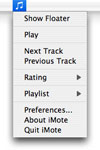
<h4 id="id_3395d52a"><a href="http://www.mkd.cc/imote/"  rel="nofollow">iMote</a></h4>

<div class="float-left"><!--@@@@@--><div style=""><a href="http://www.mkd.cc/imote/"   ><img border="0"   style="" title="" alt="" src="http://www3.atwiki.jp/itunes/?cmd=upload&act=open&pageid=23&file=imote.jpg" /></a></div></div>

<div>
メニューバー、ホットキーでiTunesを操作

</div>
<br />
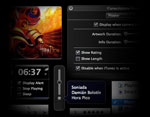
<h4 id="id_3e65d9b7"><a href="http://homepage.mac.com/dy4/zumuya/iTunesVolume/"  rel="nofollow">iTunes Volume</a></h4>

<div class="float-left"><!--@@@@@--><div style=""><a href="http://homepage.mac.com/dy4/zumuya/iTunesVolume/"   ><img border="0"   style="" title="" alt="" src="http://www3.atwiki.jp/itunes/?cmd=upload&act=open&pageid=23&file=itunesvolume.jpg" /></a></div></div>

<div>
世界一シンプルなiTunesコントローラ。一見、音量調整しかできないようなこのソフト。しかし、使ってみればわかる...

</div>
<br />
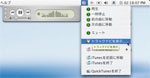
<h4 id="id_eb23eadc"><a href="http://web.mac.com/tomohiko/THE_POOH_FILES/QuickTunes.html"  rel="nofollow">QuickTunes</a></h4>

<div class="float-left"><!--@@@@@--><div style=""><a href="http://web.mac.com/tomohiko/THE_POOH_FILES/QuickTunes.html"   ><img border="0"   style="" title="" alt="" src="http://www3.atwiki.jp/itunes/?cmd=upload&act=open&pageid=23&file=quicktunes.jpg" /></a></div></div>

<div>
ステータスメニュー型のiTunes操作ツール

</div>
<br />
<h4 id="id_915d4c1c"><a href="http://www.yellowmug.com/sk4it/"  rel="nofollow">SizzlingKeys</a></h4>
<div>
キーボードショーカットでiTunesを操作

</div>
<br />
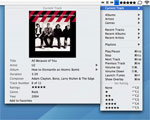
<h4 id="id_79bf17ad"><a href="http://www.yousoftware.com/itunes/itunes.php"  rel="nofollow">you control: tunes</a></h4>

<div class="float-left"><!--@@@@@--><div style=""><a href="http://www.yousoftware.com/itunes/itunes.php"   ><img border="0"   style="" title="" alt="" src="http://www3.atwiki.jp/itunes/?cmd=upload&act=open&pageid=23&file=you_control_tunes.jpg" /></a></div></div>

<div>
メニューバーからiTunesを操作

</div>
<br />
<br />
<h3 id="id_f6dbed85">その他</h3>
<h4 id="id_9578137d"><a href="http://code.google.com/p/audirvana/"  rel="nofollow">Audirvana</a></h4>
<div>
オーディオファイル向け再生ソフト
<br />
<a href="http://huryo-work.cocolog-nifty.com/blog/itunes_sync_audirvana.html"  rel="nofollow">iTunesとAudirvanaの連携スクリプト</a>

</div>
<br />
<h4 id="id_b713f372"><a href="http://handbrake.fr/"  rel="nofollow">HandBrake</a></h4>
<div>
オープンソースのDVD to MPEG-4コンバータ

</div>
<br />
<h4 id="id_27b43c95"><a href="http://www.isquint.org/"  rel="nofollow">iSquint</a></h4>
<div>
Youtube (.flv), AVI, MPEGなどのムービーファイルをMPEG-4に変換する

</div>
<br />
<h4 id="id_364624b4"><a href="http://them.ws/itrc/"  rel="nofollow">iTunes Remote Control</a></h4>
<div>
リモートアップルイベント(Remote Apple Event)を使ってネットワーク上にあるiTunesをコントロール

</div>
<br />
<h4 id="id_844b5ef7"><a href="http://www.mani.de/ivolume/jp/"  rel="nofollow">iVolume</a></h4>

<div class="float-left"><!--@@@@@--><div style=""><a href="http://www.mani.de/ivolume/jp/"   ><img border="0"   style="" title="" alt="" src="http://www3.atwiki.jp/itunes/?cmd=upload&act=open&pageid=23&file=ivolume.jpg" /></a></div></div>

<div>
登録されている曲の音量を簡単に統一できるソフト

</div>
<br />
<div>
<a href="http://redgecko.jp/localize/iVolume/help.html"  rel="nofollow">日本語ヘルプ</a>＆<a href="http://redgecko.jp/localize/iVolume/faq.html"  rel="nofollow">FAQ</a>

</div>
<br />
<br />
<br />
<h4 id="id_60c5f68f"><a href="http://www.opticalalchemy.com/"  rel="nofollow">JewelCase</a></h4>

<div class="float-left"><!--@@@@@--><div style=""><a href="http://www.opticalalchemy.com/"   ><img border="0"   style="" title="" alt="" src="http://www3.atwiki.jp/itunes/?cmd=upload&act=open&pageid=23&file=jewelcase.jpg" /></a></div></div>

<div>
アートワーク表示

</div>
<br />
<br />
<h4 id="id_8b6cddfa"><a href="http://www.sslab.ics.keio.ac.jp/%7Etmizukam/rns/"  rel="nofollow">RNSplicer</a></h4>
<div>
Bonjour中継ツール

</div>
<br />
<h4 id="id_3b14fc13"><a href="http://desireforwealth.com/software.shtml#itunes"  rel="nofollow">Tune-up iTunes</a></h4>
<div>
iTunesで、シフトJISのタグを管理・保存できるようにするパッチです。
<br />
7.5以降のジャンル名の自動ローカライズ機能の無効化も。

</div>
<br />
<h4 id="id_0a64cc9c"><a href="http://www.volumelogic.com/"  rel="nofollow">Volume Logic</a></h4>
<div>
Volume Logicは、iTunes内のすべての音を均一化することができるiTunes用オーディオプラグインです。（iTunes7で動作不能のため、販売終了）
<br />
<a href="http://www.heavymoon.co.jp/software/octiv/volumelogic/"  rel="nofollow">Heavymoon日本代理店</a>

</div>
<br />
<div>

<span style="font-weight: bold;"><!--@@@@@-->
復活？
</span>
<a href="http://www.macupdate.com/info.php/id/13252" rel="nofollow">http://www.macupdate.com/info.php/id/13252</a>
<br />
参考 : <a href="http://kingmissy.jugem.jp/?eid=504#comments" rel="nofollow">http://kingmissy.jugem.jp/?eid=504#comments</a>

</div>
<br />
<h4 id="id_12a34642"><a href="http://www.kenichimaehashi.com/lyricsmaster/"  rel="nofollow">Lyrics Master</a></h4>
<div>
iTunesで再生中の曲を自動的に検索＆設定します。
</div>]]>    </description>
    <dc:date>2011-07-19T01:51:37+09:00</dc:date>
  </item>
    <item rdf:about="http://www3.atwiki.jp/itunes/pages/22.html">
    <title>iTunes Store</title>
    <link>http://www3.atwiki.jp/itunes/pages/22.html</link>
    <description>
      <![CDATA[<!--@@@@@--><h2 id="id_95c4cc41">iTunes Store</h2>

<div>
iTunes Music Store (iTMS) は、iTunes Store (iTS) に改名されました。

</div>
<br />
<h3 id="id_1f7b0bc9">アップル</h3>
<ul><li><a href="http://www.apple.com/jp/support/itunes/musicstore/"  rel="nofollow">サポート iTunes Store</a></li>
<li><a href="http://www.apple.com/jp/support/itunes/musicstore/authorization/"  rel="nofollow">コンピュータの認証について</a></li>
<li><a href="http://docs.info.apple.com/article.html?artnum=93014-ja"  rel="nofollow">ミュージックストアの認証と認証解除について</a></li>
<li><a href="http://phobos.apple.com/WebObjects/MZSearch.woa/wa/MRSS/rssGenerator"  rel="nofollow">iTunes Music Store RSS Feed Generator</a></li>
<li><a href="http://phobos.apple.com/WebObjects/MZSearch.woa/wa/itmsLinkMaker"  rel="nofollow">iTMS Link Maker</a></li>
<li><a href="http://www.apple.com/euro/itunes/charts/"  rel="nofollow">iTunes Music Store Charts Top 10 Songs, albums, audiobooks</a></li>
<li><a href="http://itunes.apple.com/jp/genre/music/id34"  rel="nofollow">iTunes プレビュー</a></li></ul>
<br />
<h3 id="id_1eaf37b3">iTunes Store （iTS）FAQ</h3>

<div class="plugin_contents"><!--@@@@@--><ul><li><a href="http://www3.atwiki.jp/itunes/pages/22.html#id_d7a94cc3">Q.iTMS って何の略？</a></li>
<li><a href="http://www3.atwiki.jp/itunes/pages/22.html#id_2c0ef25a">Q.料金の支払いは？</a></li>
<li><a href="http://www3.atwiki.jp/itunes/pages/22.html#id_070d04b0">Q.別の Mac や PC に曲のコピーは出来るの？</a></li>
<li><a href="http://www3.atwiki.jp/itunes/pages/22.html#id_e5723ccc">Q.再生できる機械に制限はあるの？</a></li>
<li><a href="http://www3.atwiki.jp/itunes/pages/22.html#id_d9f61932">Q.認証解除する前に PC が壊れたら最大 4 台になるの？</a></li>
<li><a href="http://www3.atwiki.jp/itunes/pages/22.html#id_96f8a884">Q.購入した曲は何回でもダウンロードできるの？</a></li>
<li><a href="http://www3.atwiki.jp/itunes/pages/22.html#id_f8c4c45f">Q.購入した音楽（AAC）を MP3 にできますか？</a></li>
<li><a href="http://www3.atwiki.jp/itunes/pages/22.html#id_3870222b">Q.CD には何回でも焼けるの？</a></li>
<li><a href="http://www3.atwiki.jp/itunes/pages/22.html#id_72088d29">Q.iTMS で買える曲のビットレートとサンプルレートっていくらなの? フォーマットは AAC なの?</a></li>
<li><a href="http://www3.atwiki.jp/itunes/pages/22.html#id_75f022c8">Q.iTMS のアカウント作ろうと思ったんですが、これってクレジットカードないとアカウント作れないんですか？</a></li>
<li><a href="http://www3.atwiki.jp/itunes/pages/22.html#id_af04649f">Q.プリペイドカードの使い方がわからん。</a></li>
<li><a href="http://www3.atwiki.jp/itunes/pages/22.html#id_cacd1e68">Q.プリペイドカードは有効期限のようなものはあるんでしょうか？</a></li>
<li><a href="http://www3.atwiki.jp/itunes/pages/22.html#id_3ccee4eb">Q..Macの人にはすでにアカウントされてるんだろ？ でもサインインしようとしたらこの「このアカウントは iTMS で使われた事が無い」 とか出てダメなんだよね。</a></li>
<li><a href="http://www3.atwiki.jp/itunes/pages/22.html#id_6969bfd8">Q.iTMS-J で買えない曲は他の国の iTMS で購入可能ですか？ アメリカのアーティストの曲が欲しいんですが、iTMS-J では検索に引っかからずにアメリカの iTMS にはあるんです。</a></li>
<li><a href="http://www3.atwiki.jp/itunes/pages/22.html#id_0efdbf94">Q.ログアウト（的な行為）って不要なの？</a></li>
<li><a href="http://www3.atwiki.jp/itunes/pages/22.html#id_a176442a">Q.ライブ版みたいな曲間の切れ間がないアルバムは途切れるの？</a></li>
<li><a href="http://www3.atwiki.jp/itunes/pages/22.html#id_dd1f5150">Q.たまに曲の横にある EXPLICIT と CLEAN ってどういう意味？</a></li>
<li><a href="http://www3.atwiki.jp/itunes/pages/22.html#id_758b2283">Q.パーシャルアルバムって何？</a></li>
<li><a href="http://www3.atwiki.jp/itunes/pages/22.html#id_4f4f296f">Q.購入した曲の歌詞カードが欲しいんだけど、どうしたらいい？ テキストファイルでもついていてくれたらいいのだが…</a></li>
<li><a href="http://www3.atwiki.jp/itunes/pages/22.html#id_eecd0637">Q.視聴の連続再生ソフトを教えて下さい。</a></li>
<li><a href="http://www3.atwiki.jp/itunes/pages/22.html#id_a658bec1">Q.ブラウズしたら視聴が途切れる。</a></li>
<li><a href="http://www3.atwiki.jp/itunes/pages/22.html#id_6632b783">Q.DRMの削除は？</a></li>
<li><a href="http://www3.atwiki.jp/itunes/pages/22.html#id_7a67c7a4">Q.ミュージックストアの CD ジャケットどうにかして落とせませんかね？？</a></li>
<li><a href="http://www3.atwiki.jp/itunes/pages/22.html#id_adc25c37">Q.指定した曲、アルバムのみ「アルバムアートワークを入手」を実行するにはどうしたらいいですか？</a></li>
<li><a href="http://www3.atwiki.jp/itunes/pages/22.html#id_77c78ce2">Q.iTMSでショッピングカートを使用すると、502不明なエラーですと表示されて使えません。</a></li>
<li><a href="http://www3.atwiki.jp/itunes/pages/22.html#id_c583f775">Q.これって、メールアドレス 2 個使わないと、アメリカか日本かのどちらか登録したほうの iTMS でしか買えない？</a></li>
<li><a href="http://www3.atwiki.jp/itunes/pages/22.html#id_74084ec0">Q.US のアカウントを日本に変更した人いる？ 米ドルでのチャージの残高がどうなるのか知りたい。</a></li></ul></div>

<br />
<h4 id="id_d7a94cc3">Q.iTMS って何の略？</h4>
<div>
iTunes Music Store

</div>
<ul><li>iTunes Matsuzaki Shigeru についてはは<a href="http://www4.atwiki.jp/shigeru_2005_itms/"  >こちら</a></li></ul>
<br />
<h4 id="id_2c0ef25a">Q.料金の支払いは？</h4>
<div>
クレジットカードかプリペイドカード（ギフトカード or iTunes Music Card）。
<br />
iTunes Music Card は、iPod やアクセサリを販売する直営店の Apple Store、オンラインの Apple Store、または Amazon.co.jp、コジマ、ソフマップ、ビックカメラ、 ヤマダ電機、ヨドバシカメラ、セブンイレブンにて取り扱っています。 

</div>
<br />
<h4 id="id_070d04b0">Q.別の Mac や PC に曲のコピーは出来るの？</h4>
<div>
コピーは出来ますが再生するには認証された Mac、Windows PC である必要があります。 

</div>
<br />
<h4 id="id_e5723ccc">Q.再生できる機械に制限はあるの？</h4>
<div>
台数無制限の iPod、iTunes で apple より認証された最大5台の Mac、Windows PC で再生できます。 認証の解除も可能。（厳密には iTunes ごとに認証が必要。パテ切った別の OS の iTunes でも認証が必要です）Mac や PC の廃棄時、OS の再インストール時には解除しておきましょう。詳しくは公式ページを参照。 

</div>
<br />
<h4 id="id_d9f61932">Q.認証解除する前に PC が壊れたら最大 4 台になるの？</h4>
<div>
年に1度だけいっぺんに全部の認証を解除することができるから突然クラッシュしても大丈夫

</div>
<ul><li><a href="http://docs.info.apple.com/article.html?artnum=93014-ja"  rel="nofollow">iTunes Store の認証と認証解除について</a></li></ul>
<br />
<h4 id="id_96f8a884">Q.購入した曲は何回でもダウンロードできるの？</h4>
<div>
一回しかできません。バックアップをとりましょう。

</div>
<br />
<h4 id="id_f8c4c45f">Q.購入した音楽（AAC）を MP3 にできますか？</h4>
<div>
一度 CD に焼くと DRM が解除されるので、それからリップしなおすとできます。

</div>
<br />
<h4 id="id_3870222b">Q.CD には何回でも焼けるの？</h4>
<div>
曲を複数の CD にコピーできます。（同一のプレイリストは7回までコピー可能です）

</div>
<br />
<h4 id="id_72088d29">Q.iTMS で買える曲のビットレートとサンプルレートっていくらなの? フォーマットは AAC なの?</h4>
<ul><li>128kbps、44.1kHz の AAC </li>
<li>256kbps AAC (iTunes Plus)</li></ul>
<br />
<h4 id="id_75f022c8">Q.iTMS のアカウント作ろうと思ったんですが、これってクレジットカードないとアカウント作れないんですか？</h4>
<div>
クレカが無い場合はプリペイカード使わないとアカウント作れない 。←嘘。
<br />
無料アプリのダウンロード画面からアカウントを作ろうとすればクレカ選択のところで『なし』というラジオボタンが出現するのでそこから作ればおｋ。

</div>
<br />
<h4 id="id_af04649f">Q.プリペイドカードの使い方がわからん。</h4>
<div>
プリペイドカードで新規アカウントを作成するには、

</div>
<ol><li>iTunes を起動し、「ミュージックストア」をクリック。</li>
<li>画面左にある「iTunes Music Card」メニューをクリック。</li>
<li>「iTunes Music Card」裏面のコード（16桁）を入力。</li>
<li>「コードを使用する」ボタンをクリック。</li>
<li>「アカウント作成」ボタンをクリック。</li>
<li>3 ページ目の「オプション」のクレジットカードの部分は何も指定しない。</li>
<li>「終了」ボタンをクリック。</li></ol>
<br />
<h4 id="id_cacd1e68">Q.プリペイドカードは有効期限のようなものはあるんでしょうか？</h4>
<div>
本カードで iTunes Music Store アカウントにチャージしない場合、ご購入から 6 か月後に無効となります。
<br />
未使用残高はチャージされた日もしくは最後のアカウント使用日から 2 年経過すると無効になります。

</div>
<br />
<h4 id="id_3ccee4eb">Q..Macの人にはすでにアカウントされてるんだろ？ でもサインインしようとしたらこの「このアカウントは iTMS で使われた事が無い」 とか出てダメなんだよね。</h4>
<div>
「このアカウントは iTMS で使われた事が無い」ダイアログが出た時、「レビュー」をクリックすると登録画面に進む事ができます。

</div>
<br />
<h4 id="id_6969bfd8">Q.iTMS-J で買えない曲は他の国の iTMS で購入可能ですか？ アメリカのアーティストの曲が欲しいんですが、iTMS-J では検索に引っかからずにアメリカの iTMS にはあるんです。</h4>
<div>
ネットなどで US 用のプリカを購入。 登録の際は米国の住所（テキトーに）と、日本用とは別のメアド（携帯でも可）を用意すれば買えます。

</div>
<br />
<h4 id="id_0efdbf94">Q.ログアウト（的な行為）って不要なの？</h4>
<div>
自分のアカウントが出てる部分をクリックすればサインアウトできる。 

</div>
<br />
<h4 id="id_a176442a">Q.ライブ版みたいな曲間の切れ間がないアルバムは途切れるの？</h4>
<div>
曲間がない状態で連続再生されました。曲と曲を SE でつないでいたりする効果もそのままだった。

</div>
<br />
<h4 id="id_dd1f5150">Q.たまに曲の横にある EXPLICIT と CLEAN ってどういう意味？</h4>
<div>
EXPLICIT は fuck とか shit などの不適切な単語が入ってて、CLEAN はそういうのがカットされてる。

</div>
<br />
<h4 id="id_758b2283">Q.パーシャルアルバムって何？</h4>
<div>
アルバム情報の下に「アルバムを購入」ボタンではなく「Partial Album」が表示されている場合は、そのアルバム内の一部の曲が販売対象になっていません。購入できる曲を個別に購入するか、または何日か経ってから iTunes ミュージックストアにアクセスして、アルバム全体が購入できるようになっているかどうか確認してみることができます。

</div>
<br />
<h4 id="id_4f4f296f">Q.購入した曲の歌詞カードが欲しいんだけど、どうしたらいい？ テキストファイルでもついていてくれたらいいのだが…</h4>
<div>
Konfabulator（Mac / Win 対応、フリー）をダウンロードして、Sing that iTune!（Konfabulator 用）を使う。

</div>
<ul><li><a href="http://www.konfabulator.com/"  rel="nofollow">konfabulator</a></li>
<li><a href="http://blog.livedoor.jp/widget236/archives/9489848.html"  rel="nofollow">Sing that iTune!</a>(Konfabulator Widget)</li></ul>
<br />
<div>
Tiger 使用なら、例えば TunesTEXT を使ってみるとか。でない曲も多いと思うが。

</div>
<ul><li><a href="http://www.cyanworks.net/dboardTunesTEXT.html"  rel="nofollow">TunesTEXT</a>(Dashboard Widget)</li>
<li><a href="http://blog.livedoor.jp/widget236/archives/25956882.html"  rel="nofollow">Sing that iTune!</a>(Dashboard Widget)</li></ul>
<br />
<div>
歌詞サイト（邦楽）あるでよ

</div>
<ul><li><a href="http://www.utamap.com/" rel="nofollow">http://www.utamap.com/</a></li>
<li><a href="http://www2.kget.jp/" rel="nofollow">http://www2.kget.jp/</a></li>
<li><a href="http://music.j-total.net/" rel="nofollow">http://music.j-total.net/</a></li>
<li><a href="http://www.uta-net.com/" rel="nofollow">http://www.uta-net.com/</a></li>
<li><a href="http://www.kasi-time.com/" rel="nofollow">http://www.kasi-time.com/</a></li></ul>
<br />
<h4 id="id_eecd0637">Q.視聴の連続再生ソフトを教えて下さい。</h4>
<div>
<a href="http://www.macupdate.com/info.php/id/11955"  rel="nofollow">iTunes Music Store Player</a> 

</div>
<br />
<h4 id="id_a658bec1">Q.ブラウズしたら視聴が途切れる。</h4>
<div>
視聴用にプレイリストを作って曲を D&amp;D する。

</div>
<br />
<h4 id="id_6632b783">Q.DRMの削除は？</h4>
<div>
基本的にできません。著作権法は守りましょう
<br />
CDに焼いてそれを取り込めばできないこともないです。

</div>
<br />
<h4 id="id_7a67c7a4">Q.ミュージックストアの CD ジャケットどうにかして落とせませんかね？？</h4>
<div>
iTunes 7 で自動取得可能になりました。<a href="http://www3.atwiki.jp/itunes/pages/8.html#id_fc02f5c6"  >FAQのアートワーク関連</a>も参考に。

</div>
<br />


<div>
iTMS 上で表示されてるジャケットは 170 x 170 の JPG で一応ダウンロード可能。<br />アルバムを表示して、「友だちに教える」から自分宛にメール送信。<br />US だとたまに視聴版にまでジャケットついてるのがあった(サイズバラバラ)。

</div>
<br />
<h4 id="id_adc25c37">Q.指定した曲、アルバムのみ「アルバムアートワークを入手」を実行するにはどうしたらいいですか？</h4>
<div>
コンテキストメニューから。control + クリック（右クリック）

</div>
<br />
<h4 id="id_77c78ce2">Q.iTMSでショッピングカートを使用すると、502不明なエラーですと表示されて使えません。</h4>
<div>
値段が不自然な曲をカートに入れたら、そうなったことがありました。Apple サポートのフォームで送ると、Apple の方でショッピングカートの中身をすべて消してくれるので、それまでは 1-click で凌ぐ。

</div>
<br />
<h4 id="id_c583f775">Q.これって、メールアドレス 2 個使わないと、アメリカか日本かのどちらか登録したほうの iTMS でしか買えない？</h4>
<div>
アカウント情報から、国の変更の変更をすれば１つのアドレスで可能。

</div>
<br />
<h4 id="id_74084ec0">Q.US のアカウントを日本に変更した人いる？ 米ドルでのチャージの残高がどうなるのか知りたい。</h4>
<div>
チャージ残高があると日本に変更できない。使い切るようにうながされる。
</div>]]>    </description>
    <dc:date>2010-11-02T21:06:58+09:00</dc:date>
  </item>
    <item rdf:about="http://www3.atwiki.jp/itunes/pages/21.html">
    <title>ビジュアライザ</title>
    <link>http://www3.atwiki.jp/itunes/pages/21.html</link>
    <description>
      <![CDATA[<!--@@@@@--><h2 id="id_1e2139ec">ビジュアライザ</h2>
<div>
iTunes のビジュアライザはPlug-inとして追加ができます。

</div>
<br />
<div>
Plug-in は &quot;/Users/「ホームフォルダ」/Library/iTunes/iTunes Plug-ins&quot; にインストールします。
<br />
「iTunes Plug-ins」フォルダが存在しなければ自分で同名のフォルダを作成します。

</div>
<br />
<h3 id="id_02d1d4de">ビジュアライザプラグイン</h3>
<h4 id="id_cff2d0a3"><a href="http://hilbert.elcom.nitech.ac.jp/~amano/"  rel="nofollow">AmanoFFT</a></h4>

<div class="float-left"><!--@@@@@--><div style=""><a href="http://hilbert.elcom.nitech.ac.jp/~amano/"   ><img border="0"   style="" title="" alt="" src="http://www3.atwiki.jp/itunes/?cmd=upload&act=open&pageid=21&file=amanofft.jpg" /></a></div></div>

<div>
再生中の曲のパワースペクトルを表示するプラグイン

</div>
<br />
<h4 id="id_76253ea1"><a href="http://www.arkaos.net/software/vis_description.php"  rel="nofollow">Arkaos Visualizer</a></h4>
<div>
ビジュアルエフェクト

</div>
<br />
<h4 id="id_4afe09e1"><a href="http://www.trinfinitysoftware.com/collage.shtml"  rel="nofollow">Collage</a></h4>
<div>
再生中の曲に関連する画像を表示

</div>
<br />
<h4 id="id_78a82241"><a href="http://www.freewebtown.com/Tahkcalb/"  rel="nofollow">DHG-BlueStarWarpX</a></h4>
<div>
ビジュアルエフェクト

</div>
<br />
<h4 id="id_ca2f6070"><a href="http://www.freewebtown.com/Tahkcalb/"  rel="nofollow">DHG-DarkSosaiBayX</a></h4>
<div>
音を3D波形で表現するビジュアルエフェクト

</div>
<br />
<h4 id="id_c5abbe5f"><a href="http://www.freewebtown.com/Tahkcalb/"  rel="nofollow">DHG-FlowerPowerFlowX</a></h4>
<div>
花が飛び交うビジュアルエフェクト

</div>
<br />
<h4 id="id_f9d4037c"><a href="http://www.freewebtown.com/Tahkcalb/"  rel="nofollow">DHG-FreeFireBirdX</a></h4>
<div>
音を3D波形で表現するビジュアルエフェクト

</div>
<br />
<h4 id="id_5feb39e7"><a href="http://www.dixieunlimited.com/dxpPlayOverview.html"  rel="nofollow">dxpPlay</a></h4>

<div class="float-left"><!--@@@@@--><div style=""><a href="http://www.dixieunlimited.com/dxpPlayOverview.html"   ><img border="0"   style="" title="" alt="" src="http://www3.atwiki.jp/itunes/?cmd=upload&act=open&pageid=21&file=dxpplay.jpg" /></a></div></div>

<div>
ビジュアルエフェクト

</div>
<br />
<h4 id="id_c7ba3986"><a href="http://sonomatics.com/"  rel="nofollow">fielder</a></h4>

<div class="float-left"><!--@@@@@--><div style=""><a href="http://sonomatics.com/"   ><img border="0"   style="" title="" alt="" src="http://www3.atwiki.jp/itunes/?cmd=upload&act=open&pageid=21&file=fielder.jpg" /></a></div></div>

<div>
シンプルなデザインのビジュアルエフェクト

</div>
<br />
<h4 id="id_026367f2"><a href="http://www.soundspectrum.com/g-force/"  rel="nofollow">G-Force</a></h4>

<div class="float-left"><!--@@@@@--><div style=""><a href="http://www.soundspectrum.com/g-force/"   ><img border="0"   style="" title="" alt="" src="http://www3.atwiki.jp/itunes/?cmd=upload&act=open&pageid=21&file=g-force.jpg" /></a></div></div>

<div>
様々なビジュアルエフェクトが楽しめるプラグイン

</div>
<br />
<h4 id="id_a9379196"><a href="http://www.ios-software.com/index.php3?page=projet&amp;quoi=1"  rel="nofollow">iGoom</a></h4>

<div class="float-left"><!--@@@@@--><div style=""><a href="http://www.ios-software.com/index.php3?page=projet&amp;quoi=1"   ><img border="0"   style="" title="" alt="" src="http://www3.atwiki.jp/itunes/?cmd=upload&act=open&pageid=21&file=igoom.jpg" /></a></div></div>

<div>
ビジュアルエフェクト

</div>
<br />
<h4 id="id_d4423873"><a href="http://members3.jcom.home.ne.jp/jacketplugin/jacketj.html"  rel="nofollow">Jacket</a></h4>

<div class="float-left"><!--@@@@@--><div style=""><a href="http://members3.jcom.home.ne.jp/jacketplugin/jacketj.html"   ><img border="0"   style="" title="" alt="" src="http://www3.atwiki.jp/itunes/?cmd=upload&act=open&pageid=21&file=jacket.jpg" /></a></div></div>

<div>
画像を表示するプラグイン

</div>
<br />
<h4 id="id_577ac4a5"><a href="http://www.kasimo.jp/"  rel="nofollow">KASIMO</a></h4>

<div class="float-left"><!--@@@@@--><div style=""><a href="http://www.kasimo.jp/"   ><img border="0"   style="" title="" alt="" src="http://www3.atwiki.jp/itunes/?cmd=upload&act=open&pageid=21&file=kasimo.jpg" /></a></div></div>

<div>
KASIMO Viewerは、iTunesで再生中の曲の歌詞を表示するプラグインソフトウェアです。

</div>
<br />
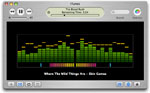
<h4 id="id_a0a32814"><a href="http://apptree.net/ledsa.htm"  rel="nofollow">LED Spectrum Analyser</a></h4>

<div class="float-left"><!--@@@@@--><div style=""><a href="http://apptree.net/ledsa.htm"   ><img border="0"   style="" title="" alt="" src="http://www3.atwiki.jp/itunes/?cmd=upload&act=open&pageid=21&file=led-spectrum.jpg" /></a></div></div>

<div>
VU スペアナ表示<br />＊iTunesで不具合が出ることがある

</div>
<br />
<h4 id="id_ae78a9f7"><a href="http://software.barbariangroup.com/magnetosphere/"  rel="nofollow">magnetosphere</a></h4>
<div>
光が飛び交うビジュアルエフェクト

</div>
<br />
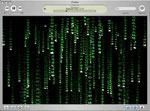
<h4 id="id_19a71683"><a href="http://www.geocities.com/muukke/matrixjam.html"  rel="nofollow">MatrixJam</a></h4>

<div class="float-left"><!--@@@@@--><div style=""><a href="http://www.geocities.com/muukke/matrixjam.html"   ><img border="0"   style="" title="" alt="" src="http://www3.atwiki.jp/itunes/?cmd=upload&act=open&pageid=21&file=matrixjam.jpg" /></a></div></div>

<div>
MATRIX 風ビジュアルエフェクト

</div>
<br />
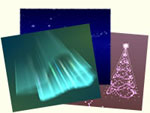
<h4 id="id_a9f97875"><a href="http://www.ayuris.net/"  rel="nofollow">Pastelflow for iTunes</a></h4>

<div class="float-left"><!--@@@@@--><div style=""><a href="http://www.ayuris.net/"   ><img border="0"   style="" title="" alt="" src="http://www3.atwiki.jp/itunes/?cmd=upload&act=open&pageid=21&file=pastelflow.jpg" /></a></div></div>

<div>
季節に関連したビジュアルエフェクトが多く入ったプラグイン集

</div>
<br />
<h4 id="id_ef036db6"><a href="http://homepage.mac.com/haveblue/soundscape/"  rel="nofollow">Soundscape</a></h4>

<div class="float-left"><!--@@@@@--><div style=""><a href="http://homepage.mac.com/haveblue/soundscape/"   ><img border="0"   style="" title="" alt="" src="http://www3.atwiki.jp/itunes/?cmd=upload&act=open&pageid=21&file=soundscape.jpg" /></a></div></div>

<div>
OpenGL で描かれる3D空間の中を飛び回るビジュアルエフェクト

</div>
<br />
<h4 id="id_45d9af13"><a href="http://www.volcanokit.com/volcanokit3/index/"  rel="nofollow">Volcano Kit</a></h4>

<div class="float-left"><!--@@@@@--><div style=""><a href="http://www.volcanokit.com/volcanokit3/index/"   ><img border="0"   style="" title="" alt="" src="http://www3.atwiki.jp/itunes/?cmd=upload&act=open&pageid=21&file=volcano-kit.jpg" /></a></div></div>

<div>
シンプルなデザインのビジュアルエフェクト

</div>
<br />
<h4 id="id_900900a9"><a href="http://www.trinfinitysoftware.com/vortex.shtml"  rel="nofollow">Vortex</a></h4>
<div>
円を描くビジュアライザ

</div>
<br />
<h4 id="id_16f5a4e4"><a href="http://www.lorenb.com/software/vtunes/"  rel="nofollow">vTunes</a></h4>
<div>
OpenGL ビジュアルエフェクト

</div>
<br />
<h4 id="id_05dab211"><a href="http://www.soundspectrum.com/whitecap/"  rel="nofollow">WhiteCap</a></h4>

<div class="float-left"><!--@@@@@--><div style=""><a href="http://www.soundspectrum.com/whitecap/"   ><img border="0"   style="" title="" alt="" src="http://www3.atwiki.jp/itunes/?cmd=upload&act=open&pageid=21&file=whitecap.jpg" /></a></div></div>

<div>
様々なビジュアルエフェクトが楽しめるプラグイン

</div>
<br />
<h3 id="id_f6dbed85">その他</h3>

<h4 id="id_4520ada0"><a href="http://www.soundspectrum.com/darkroom/"  rel="nofollow">Darkroom</a></h4>
<div>
G-Force と WhiteCap を QuickTime ムービーに書き出す<br />＊iTunes のビジュアライザではない

</div>
<br />
<h4 id="id_ecd1ad7f"><a href="http://developer.apple.com/sdk/"  rel="nofollow">iTunes Visual Plug-ins SDK</a></h4>
<div>
ビジュアルプラグインの SDK

</div>
<ul><li><a href="http://developer.apple.com/ja/technotes/tn2016.html"  rel="nofollow">ビジュアルプラグインの テクニカルノート（日本語訳）</a></li></ul>
<br />
<br />
]]>    </description>
    <dc:date>2008-09-03T19:40:35+09:00</dc:date>
  </item>
  </rdf:RDF>